User Manual - Screening Entry/Update
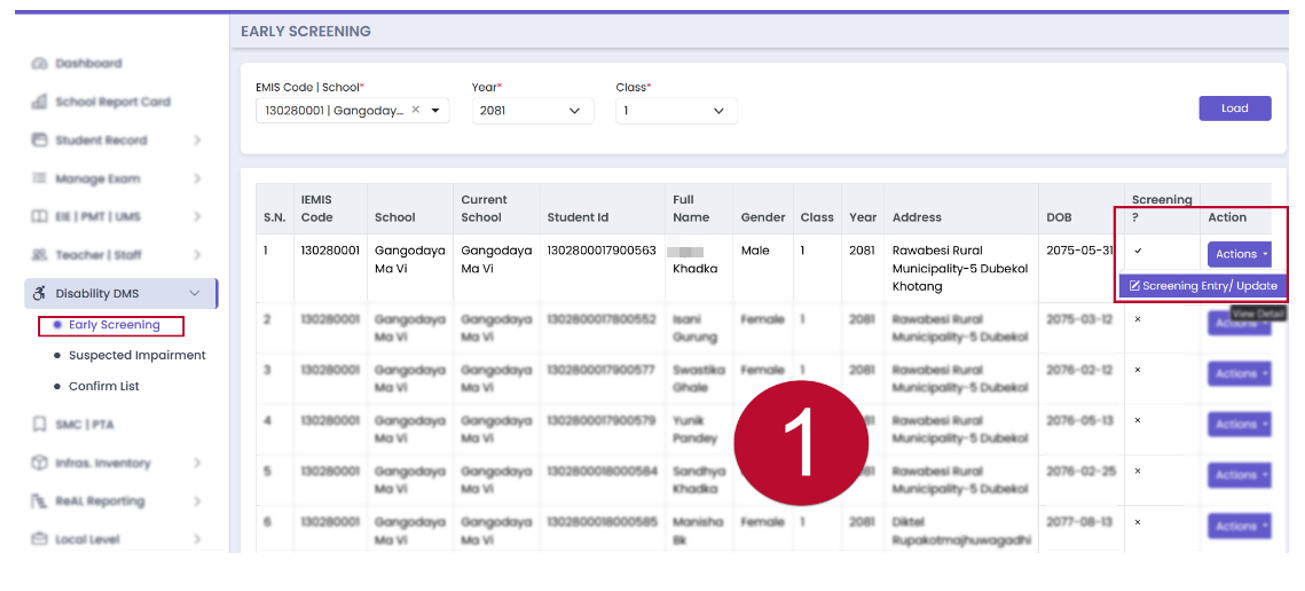
Step 1: Click on the Action Button
Click on the Action button for the required data and select Screening Entry/Update.
Step 2: Fill Out the WGQ Questionnaire
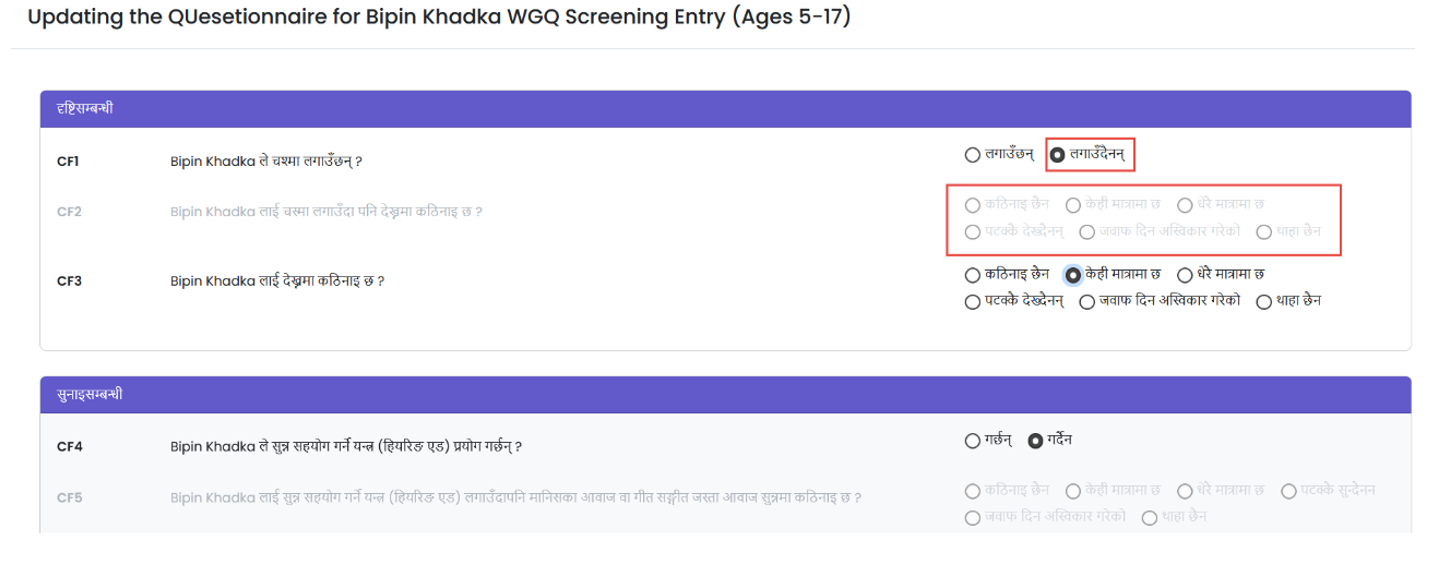
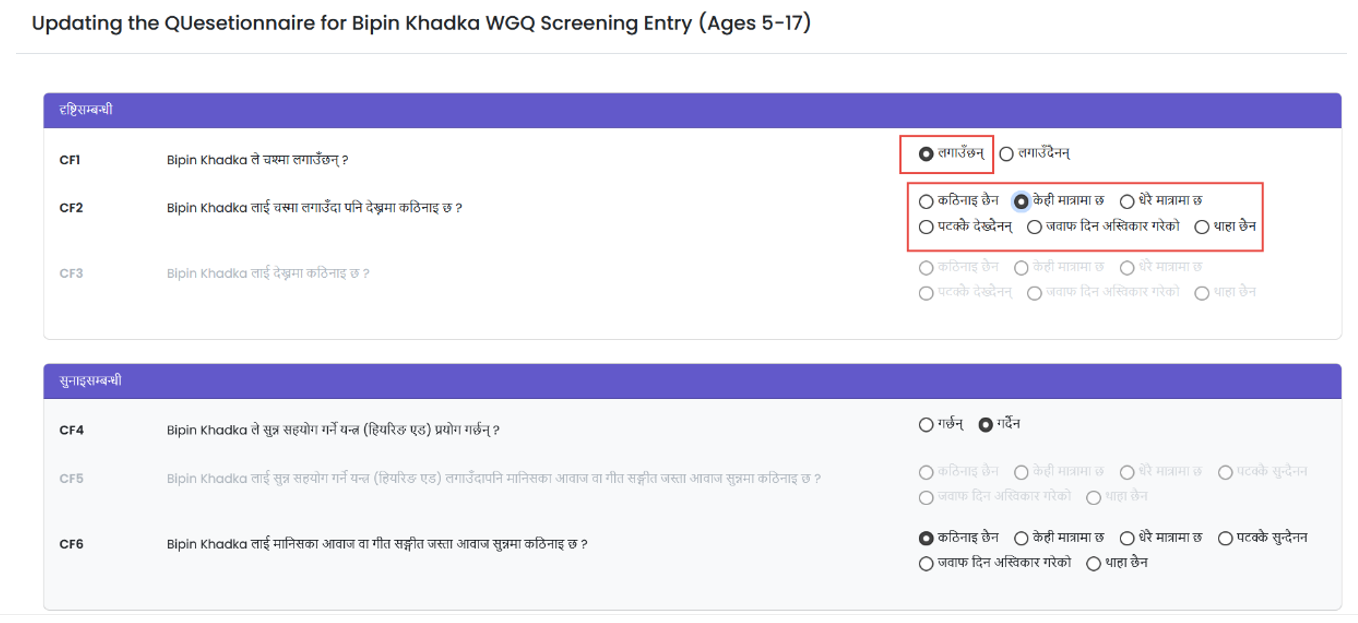
Fill out the WGQ questionnaire, which includes various domains of disabilities. Choose the required radio button to fill out the questionnaire. Users may choose multiple domains of disabilities for screening entry. The screening entry form is based on the WGQ method and uses Skip logic. Screening Questionnaire updates will be performed by schools, health posts, or health camps.
Step 3: Choose Domains of Disabilities
Select the required radio buttons to fill out the questionnaire. You may select multiple domains of disabilities.